Showing posts with label silider. Show all posts
Showing posts with label silider. Show all posts
Tuesday, November 22, 2016
Cara Memasang Widget Sosial Bookmark Silider
Cara Memasang Widget Sosial Bookmark Silider
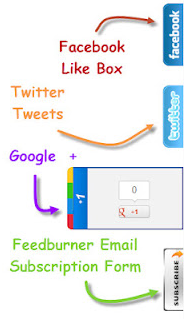
1. Masuk ke Blogger.com
2. Klik Tata Letak --> Tambah Gadget --> HTML/Javascript. Kemudian kamu salin kode HTML/Javascript di bawah ini dan masukkan ke kotak HTML/Javascript tersebut.
<style>img,a { border: 0;}
#on { visibility: visible;}
#off { visibility: hidden;}
#facebook_div { width: 196px; height: 340px; overflow: hidden;}
#twitter_div { width: 246px; height: 353px; overflow: hidden;}
#google_plus_div { width: 152px; height: 97px; overflow: hidden; margin-left: 50px; margin-top: 10px;}
#knfeedburner_div { width: 300px; height: 97px; overflow: hidden; margin-top: 5px; margin-left: -4px;}
#kakinetwork_div { width: 300px; height: 97px; overflow: hidden;}/* right side style */#facebook_right { z-index: 10005; border: 2px solid #3c95d9; background-color: #fff; width: 196px; height: 353px; position: fixed; right: -200px;}
#facebook_right img { position: absolute; top: -2px; left: -35px;}
#facebook_right iframe { border: 0px solid #3c95d9; overflow: hidden; position: static; height: 360px; left: -2px; top: -3px;}
#twitter_right { z-index: 10004; border: 2px solid #6CC5FF; background-color: #6CC5FF; width: 246px; height: 353px; position: fixed; right: -250px;}
#twitter_right_img { position: absolute; top: -2px; left: -35px; border: 0;}
#google_plus_right { z-index: 10003; background-color: #F2F2F2; border: 2px solid #006ec9; border-top: 2px solid #0056a0; border-bottom: 2px solid #0056a0; border-right: 2px solid #0056a0; border-left: hidden; width: 152px; height: 97px; position: fixed; right: -154px;}
#google_plus_right_img { position: absolute; top: -2px; left: -33px; border: 0;}
#feedburner_right { z-index: 10003; background-color: #fefefe; border: 2px solid #5b5b5b; border-top: 2px solid #5b5b5b; border-bottom: 2px solid #5b5b5b; border-right: 2px solid #5b5b5b; border-left: hidden; width: 300px; height: 97px; position: fixed; right: -303px;}
#feedburner_right_img { position: absolute; top: -2px; left: -33px; border: 0;}
#kakinetwork_right { z-index: 10003; border: 2px solid #303030; background-color: #fff; width: 300px; height: 97px; position: fixed;}
#kakinetwork_right img { position: absolute; top: -2px; left: -101px;}/* left side style */#facebook_left { z-index: 10005; border: 2px solid #3c95d9; background-color: #fff; width: 196px; height: 353px; position: fixed; left: -200px;}
#facebook_left img { position: absolute; top: -2px; right: -35px;}
#facebook_left iframe { border: 0px solid #3c95d9; overflow: hidden; position: static; height: 360px; right: -2px; top: -3px;}
#twitter_left { z-index: 10004; border: 2px solid #6CC5FF; background-color: #6CC5FF; width: 246px; height: 353px; position: fixed; left: -250px;}
#twitter_left_img { position: absolute; top: -2px; right: -35px; border: 0;}
#google_plus_left { z-index: 10003; background-color: #006ec9; border: 2px solid #006ec9; border-top: 2px solid #0056a0; border-bottom: 2px solid #0056a0; border-left: 2px solid #0056a0; border-right: hidden; width: 152px; height: 97px; position: fixed; left: -154px;}
#google_plus_left_img { position: absolute; top: -2px; right: -33px; border: 0;}
#feedburner_left { z-index: 10003; background-color: #fefefe; border: 2px solid #5b5b5b; border-top: 2px solid #5b5b5b; border-bottom: 2px solid #5b5b5b; border-left: 2px solid #5b5b5b; border-right: hidden; width: 300px; height: 97px; position: fixed; left: -303px;}
#feedburner_left_img { position: absolute; top: -2px; right: -33px; border: 0;}
#kakinetwork_left { z-index: 10003; border: 2px solid #303030; background-color: #fff; width: 300px; height: 97px; position: fixed;}
#kakinetwork_left img { position: absolute; top: -2px; right: -101px;}
.box-title1 { border: 1px solid #ddd;/*border-radius*/ -webkit-border-radius: 6px; -moz-border-radius: 6px; border-radius: 6px;/*box-shadow*/ -webkit-box-shadow: 5px 5px 5px #CCCCCC; -moz-box-shadow: 5px 5px 5px #CCCCCC; box-shadow: 5px 5px 5px #CCCCAvailable link for download

Subscribe to:
Posts (Atom)